Tuesday, August 10, 2010

I missed my blogging world sooooo much!!!!!!! and a little GIVEAWAY!!!!!!!

Hello my dear followers!!!!!!!! I have missed this world of ours so much..... really!!! You have no idea!!!! I am actually still internet-less at home! I am blogging from Chick-Fill-A. I have moved up north. I have a mix of emotions. While I am loving the beautiful community and much bigger home! I can't help but still feel sad that I do not have my parents, grandmothers, brother, sisters, aunts, uncles and my friends close to me!!!! :'( I am very close to my family.... and when I say close... well, I mean CLOSE...

I don't know how long I will be staying up here... I was thinking 1-2 years and just the other day my hubby mentioned it might be more than that!!!

Anyways, I will focus on the positive, right?? I have Scrapbook Expo in November close to me!!! YEY!! My DH has already said he will take the kids all day!!!

In the meantime I will share with you a project I did a few weeks back.


I found this beautiful project at a little scrapbook store in Azuza, CA. It did not have a specific name for this but I will call it the "Carousel Project"!! I really love it!!! I made another one for ScrapTiffany using Basic Grey Paper!! You can see that project here!!!

And just to thank all my followers for being patient with me, I have a giveaway!! I forgot to take a picture of it... it is a kit to make 4 layouts for a wedding!!! It is really cute!!! As soon as I have access I will upload a picture!!!

All you have to do is leave a comment under this post and tell me.... well, anything!

I will choose a winner next Monday!!!

Sunday, August 1, 2010

The winner of Joy's Life "Lot's of Pun" Stamp set and an update on my moving!!

Hello all!! I am taking a bit of time to post the winner of the awesome “Lots of Pun” stamp set from Joy’s Life and to keep you posted on my moving experience.
I have packed everything except the big furniture…. Aside from being tired physically, I can’t even begin to tell you about the emotional part of it. Truth is I do not want to say my good-byes to ANYONE! A friend from high school came over today and it was really hard….. Can’t even think of how much it will hurt when I leave on Tuesday...........

In the mean time I do have good news!!! I have a winner of the stamp set from Joy’s Life!!!!!!!


…………and the winner is…………..


Ready??????????

Got2BCrafting said...
I have always loved your work. Thanks for the awesome blog candy, I would be so thrilled to win these stamps. I hope you love N.CA, that were I live, and I love it!!Lori

Lori, please email with your  address at scrapbookaholicbyabby@yahoo.com
You have until Tuesday 10 pm PST  to do so! If I do not hear from you, I will draw another winner that same day!! Hurry!!!!!
I am hoping I will have some of my scrap stuff out by Tuesday!!!! I am dying here!!!!!

Oh! I also wanted to post a little something I did out of a recycled Altoid tin... It's for Crafting with Cristina's challenge!


Wednesday, July 28, 2010

Day 3 Joyslife.com GIVE-A-WAY!!!! and the winner to my first challenge!!!

Hello my dear followers! I am so sorry I have been absent from the blogging world. As you have read before, I am in the middle of moving to North California!
I have a couple of things for today. First is the winner of my first challenge!
I used random.org and had 4 participants. I want to thank you all for joining my challenge! I loved that they created a two-page layout inspired by my sketch!!! They were beautiful!!!!
On to the winner!!!!!!!!
Gloria Z!!!!!!
Please send me an email with your address
no later than Wednesday!!

Keep reading, it gets GOOD!!!
~~~~~~~~~~~~~~~~~~~~~~~~~~~~~~~~~~~~~~~~~~~~~~~~~~~~~~~~~~~~~~~~~~
Also, if you are a follower of my blog you know that I am a designer for Joyslife.com. She has the cutest set of stamps that go great with the Create a Critter cart. This week she is a having a Give-A-Way EVERYDAY!!!! Yes, you heard right!!! So after looking at the awesome give-a-way I have for you, hop on over to her page to take part in her Give-A-Ways!!! This is an image of her set of stamps
“Lots of Pun”

I created this card using Joy’s stamps!!! I LOVE this set of stamps!!!
The best part of this post???!!!!
Joy is donating a set of her beautiful “Lots of Pun” stamp set!!!
This is what you have to do:
1.  Become a follower of my blog
2.   Leave a comment on this post
3.  If you post on your blog about this give-a-way, you get an extra chance of winning!!!!! Make sure you tell me you did on the post you leave here!
Also, make sure you go visit Joyslife.com and also visit the other awesome designers for more chances to win!!!
Thank you for looking and don’t forget to leave a comment here and go visit Joy!!!!


Thursday, July 22, 2010

Extention to my first challenge/GIVEAWAY!! , Emma's TT and Video #2!!!!!

Happy Thursday to all!!!

A few weeks back I had a tutorial on how to do your own sketches using Photoshop. Click HERE for that tutorial. I also had my very first challenge on that tutorial! and since I just had one entry I am extending the challenge!!!!!!! The price is sweet! You will get:

COLLECTION OF ME & MY BIG IDEAS RUB-ONS!!

*Love sayings

*Inspirational sayings

*Baby Boy

*Vacation sayings

*Family Sayings

*Friendship Sayings

SOFT SPOKEN chain embellishments

2 Jolee's Stickers (Tennis racket and DayCare)

You have to follow the sketch I created for the tutorial! here is it!

Also, I am adding another way to enter!!! If you create a sketch using my tutorial you can also upload that to Mr. Linky!!!

That is two ways of winning!!!!!!

Please pass the word  on and have fun!!!!!!

~~~~~~~~~~~~~~~~~~~~~~~~~~~~~~~~~~~~~~~~~~~


It's another Emma's TT challenge!  I do not own the cart that we were suppose to use! I was really bummed out about it!!! I love to have the cart chosen because it narrows my ideas more!! maybe next week!

I also did my second video for this card. Hmmmm it came out ok... i guess... still need LOTS of practice!!!

I created this really simple card for my sister's bday this Saturday! My sister is the creator of the comic I have talked about in previous posts. Check her comics out! They are fun!! CLick HERE for a link to a comic about me and my baking!!!

I did notice my card looks kind of a little on the dark side, but if you knew my Lil Sis you would know she will like it!!!!! 


I used Glossy Accents for the image in the middle.
Inside of card
As always........ your beautiful comments make me happy!!!!!!


Check Out this  page: http://www.giveawayscout.com/

Monday, July 19, 2010

I am loving BoBunny Paper!!! and some challenges...

Happy Tuesday!!!
Today I have for you two cards and two layouts I created using BoBunny paper. I have to tell you that I am loving this paper soooooo much!!! You have seen me use both of the collections already on the two mini-albums I created.
The BoBunny collections I have used in these creations are:
and my favorite of all (reminds me of my grandpa)
(has to do with photography)


As always if you like what you see leave a comment! :)
I love reading them!!!!!!!!!!!!!!!!

Sunday, July 18, 2010

Crafting with Cristina

Hello my dear followers!! I created this slider card(s) for Cristina's very first challenge! Every other week she will have a guest designer and a challenge!! I found various tutorials on youtube on how to make this fun card and decided to try it!
I also did my very first video!!! Not the best, but my first!!!


Hope you like my cards! and don't forget to leave a comment if you like what you see!!!


Saturday, July 17, 2010

Keeping Busy!!!! My Grandpa Mini-Album

Hope everyone is having a fun Saturday!!!! I have a Mini-Chipboard album to share with you guys today. I am feeling a little sad.... After 35 years of being a So CAL girl and never have lived more than 10 miles away from my family, I am moving to North California. I am looking for a home in the Sacramento area. And, so that I do not get too depressed, I keep myself busy from morning till night! I do have 4 kids (13, 11, 9 and 2) so that keeps me going on for most of the day... the little time I have I spent it scrappin!!! :)
So, today I created this mini album remembering my grandpa who passed away a few years ago, and that's a whole other can of worms I do not want to open right now!
All the paper used is from the new BoBunny collection! I love it because it goes so well with my grandpa's pictures!!! He was a professional Photographer! All the pictures of him were taken by him!!! I miss him.... so much!!!!
I hope you like what you see, and don't forget as always...... your comments make me happy!!! Specially right now! :)


This is one of my favorite pictures of my grandpa!!!!!!

Thursday, July 15, 2010

Throwback Thursday #7 with Emma!!! and FBB

I just can't get enough of these!!! Seriously!!! I am addicted to My Creative Time's Throwback Thursday Challenges!!!!! I am done with this one and I can't wait for next Thursday!!!!!

So this week we had to use Wild Card cartridge. I really love this cartridge and was super happy to use it!
The bummer part is I don't have the Celebration one that we will be using next week! :(

Here is my card for the challenge! Hope you like it! and if you do pretty please leave a comment... I live for them!!!

Tuesday, July 13, 2010

Quick Tutorial~~How to create sketches on Photoshop and a CHALLENGE!!!

I did this tutorial for ScrapTiffany!


I am very excited to share some tips that I have learned on making sketches on Photoshop. First of all I have to say that I need a tutorial on how to take video of my computer! My intentions were to make a video, but… I failed miserably! So, I opted for detailed instructions (which are harder! LOL) and pictures.


If you want to get the most of making sketches you have to download some patterns and brushes. The ones that come with the program are very limited. But, that can get expensive… so I found this website that has samples for free!! And they have tons of free patterns and brushes!! That site is http://www.brusheezy.com/

Downloading them is the easy part (make sure you create a new folder for them) Installing them, now this is a tutorial by itself!


1. Make sure you have open the folder where you downloaded your brushes/patters on another window


2. Go to COMPUTER >> C >> PROGRAM FILES


3. Open ADOBE >> PHOTOSHOP >> PRESETS


4. In the PRESETS folder you will see the folders for the PATTERNS and the BRUSHES


5. Make sure you unzip them onto the same folder! Then, drag the ones you downloaded to each of these

Abbytut2

That’s it!! Easy right? J


On to your sketch! A very important tip before moving on… If you want to undo something, it will let you do it only for the last thing you did. You have to make sure you click EDIT>>STEP BACKWARD you can use that one as many times you wish and it will keep undoing!

1. Open PHOTOSHOP


Abbytut1

2. Start a new document, name it and change its width and height to 12 inches each.


3. Select the PAINT BUCKET TOOL just under the tabs on the top you will see “foreground” change that to “pattern” on the side you will see a little square with a print. Click on the arrow down and you will have more to choose from. Now, here is where you can change to the ones you downloaded. On the right of that selection that opens up there is a little arrow pointing to the right. Click there and the list of all the patterns will appear.


Abbytut3


4. This will be the background of you sketch. If you wish to have a simple color for the background then just don’t change the foreground and choose the color you want for the background


5. HERE IS THE MOST IMPORTANT PART OF USING PHOTOSHOP!!!! FOR EVERYTHING YOU USE ON YOUR SKETCH YOU HAVE TO CREATE A NEW LAYER!!! Hit CONTROL+SHIFT+N and a new layer will be created, you don’t have to give it a different name, just click OK.


6. Now choose the SHAPES tool, this will be called differently depending on the shape that is chosen, for example “rectangle tool” click on it and leave clicked until the shapes to right appear. Click on the figure you would like to use. YOU HAVE TO MAKE SURE THAT THE SHAPE IS UNCONSTRAINED, when you have click the shape tool on the top shapes will appear, if you click on the weird/funky flower one you will see the unconstrained thing I was telling about. This way you can shape the figure any way you want. But if you want a set size then just change the size on that same box, under fixed size.


ABBYTUT4


7. The shape you choose will have the color that was there before. You can either just change the color or you can also give it a pattern!! Choose the paint bucket again and when you have chosen your pattern, click on the shape and a message will pop up.


Abbytut5


Just click OK. I don’t know why! LOL (My uncle taught me and explained but that particular info flew away!)


8. CREATE A NEW LAYER FOR EVERY step you use on our sketch!!!


9. Create your picture mats; this is where the fixed shapes come in handy! I chose for the sample I am doing a 7 x 5 picture, my first mat is black and that is done at 7.50 x 5.50 my next mat is 7.25 x 5.25. You can move shapes by clicking on the MOVE TOOL it’s the first tool on the left side. DON’T FORGET TO CREATE A NEW LAYER!!!


10. Now comes the fun part! BRUSHES!!! Make sure you have the selected color you want! Click on the brush tool (on the left side) Most likely you will something that’s preset. Right click and you will see different brushes. On the right of that there is a little arrow pointing to the right, click on that and the list of different brushes will appear. Click on the one you want to choose and size it. On this you kind of have to play with it.


11. When you have chosen your brush, and are ready to put it onto your sketch, don’t move the mouse around just put it where you want it and click more than once. I do this because some of the images are very lite and I like my brushes to pop out! FOR EVERY BRUSH YOU CREATE A NEW LAYER!!


12. If you wish to move your image, click on the RECTANGULAR MARQUEE TOOL and select the brush right click it when you have selected it and click FREE TRANSFORM, if you right click again you can rotate image and do more, free transform allows you to move however you want. When you are done playing with brush, click on the RECTANGULAR MARQUEE TOOL again and click on image once so that it’s not selected anymore. It will ask you if you want to transform brush and you say yes!


13. CREATE ANOTHER LAYER! Choose another brush and keep playing! Don’t forget you can move them around!


14. If you want text on your sketch click on the T tool, if you hold it for a few seconds it will show you different ways you can use your text i.e. Horizontal or vertical text or even patterned!
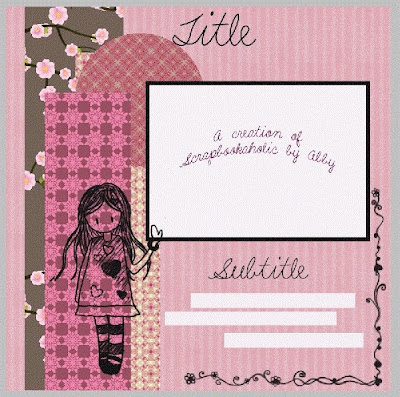


I hope this helps you get started! I have only done 3 sketches myself so I am still learning!! Please feel free to contact me for ANY questions you have at scrapbookaholicbyabby@yahoo.com make sure you title your message Tutorial Question!


On to the CHALLENGE!!!


Create a layout any size using my sketch and add your project using Mr.Linky!! There are NO other rules! I will choose a winner using random.org by next Tuesday!


Oh wait!!! The prize!!!


COLLECTION OF ME & MY BIG IDEAS RUB-ONS!!


*Love sayings


*Inspirational sayings


*Baby Boy


*Vacation sayings


*Family Sayings


*Friendship Sayings


SOFT SPOKEN chain embellishments


2 Jolee's Stickers (Tennis racket and DayCare)


Monday, July 12, 2010

ScrapTiffany Challenge, a Blog Award and more news!

Good Monday Morning!!!!

I hope you guys had a wonderful weekend! I have moved for the summer up to Loomis CA! We are still undecided about making the move! I have lived ALL my life no more than 10 miles away from my family and this distance of about 8 hours is well.... killing me!!!! But, I have to think of my own family and what's best for my kids and that is staying all together... :)
Well, we are staying at an RV park that is just beautiful!! Kids are having fun and I keep myself busy with my scrapping... The best part..... there are berries growing like crazy in the park and they are delicious!!! Yummy!!!

Look at Abby enjoying them!!!!!


More news!!!!!


This week over at ScrapTiffany we are having a Monochromatic Challenge!!! Hop on over to the site and see all the beautiful creations the designers have done!!! Here is my take on it.


Ale is my niece/god-daughter. We got together for the 4th of July/our silent goodbye fiesta and she was in a very lovable mood!! (if you knew her... that was weird!) So I decided to do this little folded tag booklet. I used all pinks and played with the colors of the pictures! I didn't like how the shape of the tag came out..... it looks more like a baby bottle!


and last but not least!!!!
I want to thank Agnes over at Flowerdisco's Scrap Hut for this beautiful blog award!! I am participating in a card swap and I am super excited about it!!!
With this award I have to state 7 facts about me!!!
1. My Family is the most important
2. I am a Scrapbookaholic!
3. I am a Blogaholic
4. I love to cook!
5. I love Emma's Throwback Thursdays!
6. I miss my BFF Gaby, more than she knows!!!
7. I can't be without my Blackberry!!!
and...... I have to pass on the torch to my inspirations!!!
1. Gaby~~~~ Scrapabookaholic
2. Emma~~~ My Creative Time
3. Alex ~~~~ You had me at Craft
And to my lil sister Kich~~~ Kich Kind of Mind, for her creativity!!!!!

Thanks for taking a look and as always..... my food/energy are your beautiful comments!!!!